Low latency RAM can make a computer feel faster, even when its processor remains unchanged. It reduces the delay between a memory request and the delivery of data. That delay is measured through timings, such as CAS latency, alongside the RAM’s transfer speed. A module rated DDR5-6000 CL30, for example, may respond more quickly than a slower-timed kit with similar bandwidth. The difference appears during repeated tasks, not every click.
It matters most when software constantly exchanges data with memory. Competitive games can show steadier frame delivery. Video editors may experience smoother timeline scrubbing. Developers running virtual machines can notice fewer pauses when several workloads compete for memory access. Low latency RAM importance depends on the entire system, including the CPU’s memory controller, motherboard support, capacity, and workload. More expensive RAM is not automatically better.
Small numbers matter.
In practice, users should compare real timings, advertised speed, stability, and compatibility together. A kit may require a supported memory profile, such as XMP or EXPO, before reaching its rated performance. Poorly matched settings can cause crashes, failed boots, or inconsistent results. I have found that synthetic benchmarks often exaggerate tiny gains. Everyday applications may respond differently. This is where careful testing becomes valuable: record launch times, frame-time consistency, and workload completion instead of trusting labels alone. Low latency RAM is useful, but it is not a universal upgrade. Capacity shortages, thermal limits, or a weak processor may remain the real bottleneck. The best choice is balanced, tested, and honestly measured.
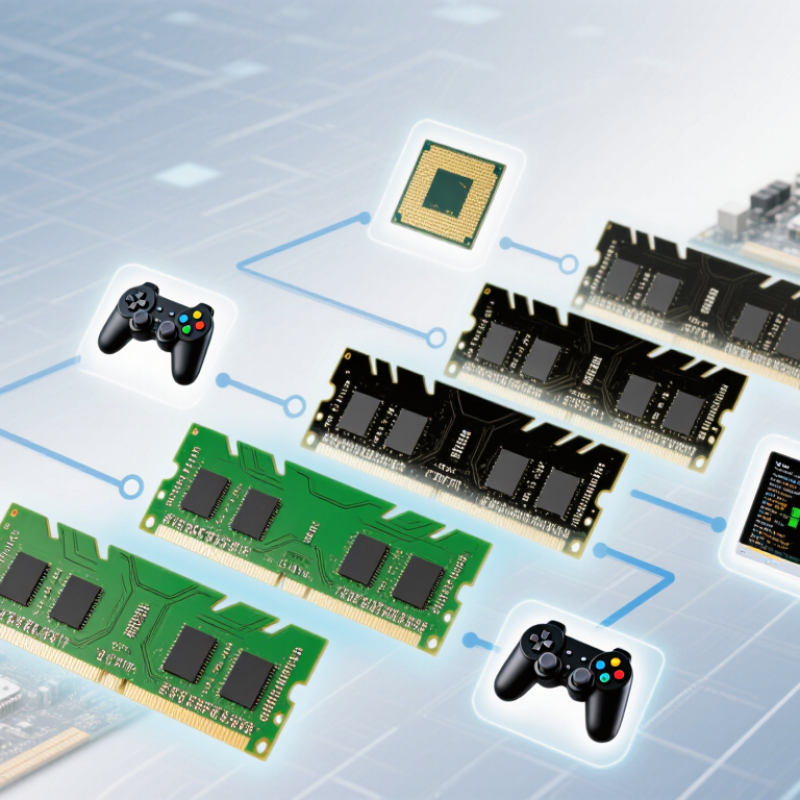
Low-latency RAM is memory that responds quickly after the processor requests data. It reduces the waiting time between a command and its first transfer. This delay is usually measured in nanoseconds, not only by the advertised speed.
The key figure is CAS latency, or CL. A lower CL can help, but data rate also matters. A simple formula is: latency in nanoseconds = 2,000 × CL ÷ data rate in MT/s. For example, DDR5-6000 with CL30 delivers about 10 nanoseconds of first-word latency. That is more meaningful than comparing CL numbers alone. I have seen buyers choose a lower CL kit without checking its frequency, which creates a misleading comparison.
Small numbers matter.
JEDEC’s DDR5 specification defines electrical and timing requirements for modern memory modules. It separates data-transfer rate from timing values, supporting this broader interpretation. The Semiconductor Industry Association reported global semiconductor sales of 526.8 billion dollars in 2023, showing the scale of the memory ecosystem, though that figure does not measure RAM latency directly. This limitation deserves attention. In real systems, processor architecture, memory channels, capacity, and workload can outweigh a tiny timing improvement. Games may benefit from lower latency, while large creative workloads often need more capacity. Professional testing should record frame-time consistency, application completion time, and power use, rather than relying on CL alone.
| Dimension | Definition or Measurement | Typical Example | Why It Matters |
|---|---|---|---|
| Low-Latency RAM | Memory that completes read or write requests with less delay than another memory configuration operating under comparable conditions. | A memory kit with a lower true access time at a similar transfer rate. | It can reduce the time the processor waits for frequently requested data. |
| CAS Latency (CL) | The number of memory clock cycles between a read command and the availability of the requested data. | CL16 requires fewer cycles than CL20 when both modules operate at the same clock frequency. | A lower CL is generally beneficial, but CL must be evaluated together with memory speed. |
| Data Transfer Rate | The number of data transfers per second, expressed in MT/s. It is commonly confused with the physical memory clock frequency. | 3,200 MT/s represents 3.2 billion transfers per second. | Higher transfer rates increase available bandwidth, although they do not automatically produce lower latency. |
| True CAS Latency | The approximate time required for the CAS portion of a memory access, calculated from CL and the transfer rate. | Latency (ns) = CL × 2000 ÷ MT/s | It provides a more meaningful comparison than the CL number alone. |
| Illustrative Latency Comparison | Two configurations can have different CL values but nearly identical real CAS latency. |
3,200 MT/s at CL16 ≈ 10.0 ns; 3,600 MT/s at CL18 ≈ 10.0 ns; 6,000 MT/s at CL30 ≈ 10.0 ns. |
Memory speed and timing must be considered together when selecting low-latency RAM. |
| Primary Timings | Timing values such as CL, tRCD, tRP, and tRAS describe delays for different memory operations. | A specification written as 16-18-18-38 lists four primary timing values. | Lower timings can improve responsiveness, but the effect depends on the workload and the complete memory configuration. |
| Memory Bandwidth | The amount of data that can theoretically be transferred per second. For one memory channel, a simplified estimate is: | Bandwidth ≈ MT/s × 8 bytes 3,200 MT/s ≈ 25.6 GB/s per 64-bit channel. |
Bandwidth is especially important for integrated graphics, scientific workloads, data processing, and other data-intensive tasks. |
| Command and Queue Delays | Overall memory response also includes controller scheduling, command timing, bus activity, and the time required to transfer data. | Two modules with the same CL can have different total response times because of other timings and platform behavior. | CAS latency alone does not represent the complete system memory latency. |
| Gaming Impact | Lower memory latency may improve minimum frame rates and frame-time consistency in CPU-limited games. | The greatest benefit is usually seen when the processor, game engine, and graphics settings create a memory-sensitive workload. | In graphics-card-limited scenarios, changing RAM latency may produce only a small difference. |
| Application Performance | Latency-sensitive software may respond more quickly when it performs many small, irregular memory accesses. | Examples include some compilation tasks, simulation workloads, database operations, and productivity applications. | The improvement varies widely because many applications are limited by storage, CPU computation, bandwidth, or software design instead. |
| Capacity Versus Latency | Memory capacity determines how much active data can remain in RAM, while latency determines how quickly certain requests are served. | Insufficient capacity can cause paging to storage, which is generally far slower than using adequate RAM with slightly higher latency. | Having enough capacity should normally be prioritized before pursuing small latency reductions. |
| Dual-Channel Operation | Using two matched memory channels increases the available memory data path compared with single-channel operation. | A 64-bit channel becomes a 128-bit aggregate interface when two channels operate concurrently. | Channel configuration can have a larger performance effect than a modest change in CAS latency. |
| Memory Rank and Module Layout | Rank organization and the number of installed modules can affect signal loading, compatibility, and achievable timings. | Adding more modules may require lower operating speeds or looser timings on some systems. | The lowest advertised latency is useful only if the system can operate reliably at that setting. |
| Stability and Compatibility | Low-latency settings may require supported voltage, firmware configuration, and a compatible processor-memory controller and motherboard. | A system may automatically fall back to a slower standard setting if a selected profile is not supported. | Reliable operation is more important than a small theoretical latency advantage. |
| Practical Selection Rule | Compare capacity, transfer rate, true latency, primary timings, channel configuration, compatibility, and price as a complete package. | Choose adequate capacity first, then balance bandwidth and true latency for the intended workload. | This approach avoids judging RAM solely by its CL number or advertised transfer rate. |
Low-latency RAM returns requested data quickly. It reduces the delay between a processor request and the first transfer.Small numbers matter.
Latency is usually measured in nanoseconds. CAS latency, or CL, describes part of the memory timing.
No. Data rate also matters. A higher-speed module with slightly higher CL can respond sooner.
Use this formula: latency equals 2,000 multiplied by CL, divided by data rate in MT/s.For example, DDR5-6000 CL30 provides about 10 nanoseconds. DDR5-5600 CL40 provides about 14.3 nanoseconds.
It can reduce brief pauses during repeated small data requests. Results vary with the game, processor, graphics settings, and memory channels.Do not expect miracles.
Sometimes, but capacity often matters more. Large editing or simulation projects may benefit more from 32 GB than faster 16 GB memory.Capacity still wins.
Use two matching modules for balanced dual-channel operation. Check capacity carefully when games, browsers, and recording tools run together.
Check physical format, module size, voltage, firmware support, and system compatibility. Workstations may need error correction and stable operation more than tight timings.
Run a trusted diagnostic tool after installation. Test long workloads, not only successful startup.A system can boot normally and still fail later. I may overvalue benchmark gains; quiet reliability deserves attention.
Low-latency RAM is memory designed to reduce the delay between a processor’s request and the delivery of data. Its performance is influenced by specifications such as CAS latency, memory frequency, timings, and bandwidth. Although higher frequency can improve data transfer rates, it does not always mean faster real-world performance; the balance between speed and timings is equally important. Low latency RAM importance becomes especially clear in tasks that depend on quick data access, including gaming, content creation, software development, and multitasking.
Compared with standard memory, low-latency RAM can provide more responsive system performance and smoother workload handling, but the improvement depends on the computer’s processor, motherboard, and software. When choosing memory, users should check system compatibility, supported memory speeds, capacity requirements, and whether the system benefits more from lower timings or greater bandwidth. For everyday computers, reliable capacity may matter most, while performance-focused systems can gain more from carefully balanced low-latency specifications.

 Vorynex