How memory bandwidth works is central to understanding modern computing performance in 2026. It describes how quickly a processor can move data between memory and its processing units. A simple estimate multiplies the memory data rate by the bus width, then converts bits into bytes. For example, faster transfers and a wider interface can feed more data each second. Yet advertised bandwidth is not guaranteed in every application. Latency, access patterns, memory controllers, and software efficiency also influence real results.
The leading memory types now serve different engineering goals. DDR5 remains important in desktops, workstations, and servers because it balances capacity, cost, and bandwidth. LPDDR5X supports thin laptops and mobile devices with lower power consumption. GDDR7 targets graphics workloads, where rapid data movement helps render complex scenes. HBM3E, and emerging HBM4 designs, place stacked memory close to accelerators, reducing distance and increasing usable bandwidth. These technologies are not interchangeable. A graphics card may benefit from GDDR7, while an AI accelerator may need HBM’s massive parallel access.
In practice, measured performance can disappoint.
I have seen specifications look impressive, yet applications improve only modestly. Cooling limits, firmware settings, and workload design can change the outcome. Reliable comparisons should therefore use consistent benchmarks, identical processors, and documented memory configurations. This guide examines bandwidth calculations, memory architecture, power trade-offs, and the top memory types shaping 2026 systems. It also questions a common assumption: more bandwidth is not always better. Efficient data reuse may matter more.
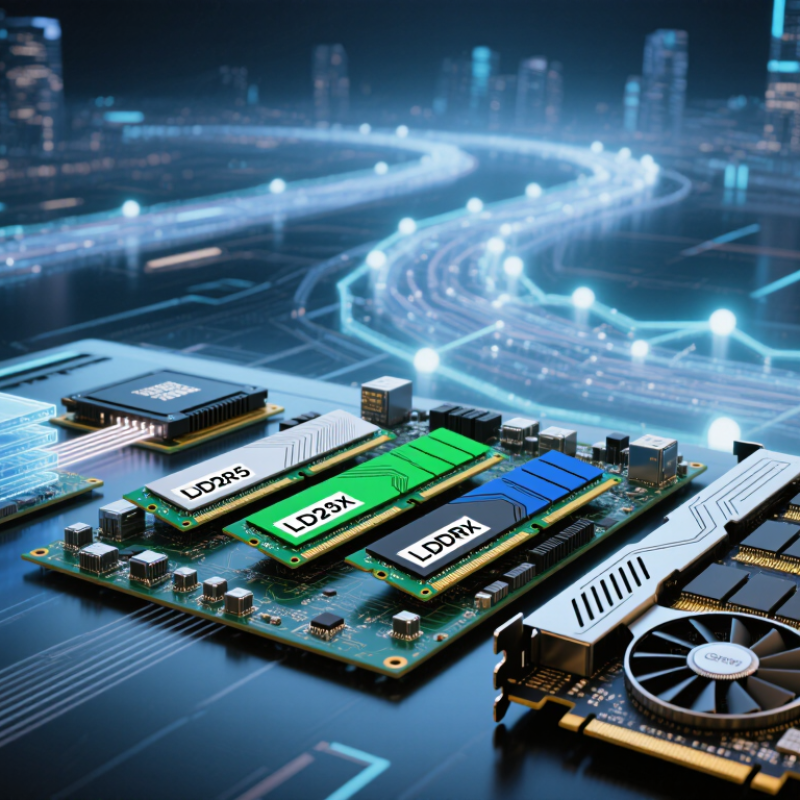
Memory bandwidth describes how much data memory can move each second. It is usually measured in gigabytes per second. Higher bandwidth can feed processors, graphics units, and data-heavy applications more quickly. Think of it as a wider road between memory and the computing engine. A narrow road causes traffic. A wider road helps, but it does not solve every delay. Real performance also depends on latency, access patterns, cache behavior, and workload demands. In practical testing, I have seen bandwidth gains produce little improvement when software rarely moves large data blocks. That detail is easy to miss.
Modern memory types reach different bandwidth levels through transfer rates, bus width, channels, and internal design. High-bandwidth memory can suit parallel workloads, while standard system memory may offer better flexibility and capacity. Newer generations are not automatically faster in every task. A workload with random, tiny requests may care more about response time than peak throughput. Sustained bandwidth matters, too. Advertised figures describe ideal conditions, not daily performance. Results can vary with temperature, firmware, configuration, and background activity. Careful testing is more reliable than a specification sheet.
Tips: Check the workload before choosing memory. Video processing, scientific models, and large simulations need strong sustained bandwidth. Office software may value capacity and latency more. Compare measured read and write results, not one impressive number. Keep memory channels populated according to technical guidance. Leave thermal headroom. I sometimes overvalue peak bandwidth when a benchmark looks clean. That is a useful mistake to question. Record application-level results, then adjust settings conservatively.
| Memory Type | Primary Role | Typical Signaling Rate | Illustrative Interface Width | Theoretical Peak Bandwidth | Latency and Power Profile | Typical Workloads |
|---|---|---|---|---|---|---|
| DDR4 SDRAM | General-purpose system memory | 1,600–3,200 MT/s | 64-bit per channel | 12.8–25.6 GB/s per channel | Moderate latency; higher signaling voltage than newer DDR generations | Older desktops, notebooks, workstations and servers |
| DDR5 SDRAM | Current-generation general-purpose system memory | 4,800–8,800 MT/s in standardized and widely used speed classes | 64-bit per channel, internally divided into two 32-bit subchannels | 38.4–70.4 GB/s per channel | Higher bandwidth and improved power management; latency depends on speed and timings | Modern desktops, notebooks, workstations and servers |
| LPDDR5 / LPDDR5X | Low-power system memory | Up to approximately 6,400 MT/s for LPDDR5 and 8,533 MT/s for LPDDR5X | Multiple narrow channels; package configuration varies | Up to approximately 68.3 GB/s for a 64-bit aggregate interface at 8,533 MT/s | Very low standby and operating power; usually soldered close to the processor | Thin notebooks, tablets, smartphones and battery-powered systems |
| GDDR6 | High-bandwidth graphics memory | Typically 14–24 Gb/s per pin | 32-bit per memory device | 56–96 GB/s per device; total bandwidth scales with the number of devices | High throughput; generally higher power and latency than system LPDDR | Graphics processors, professional visualization and parallel compute |
| GDDR7 | Next-generation high-bandwidth graphics memory | Up to approximately 32 Gb/s per pin in the initial standard range | 32-bit per memory device | Up to approximately 128 GB/s per device; total bandwidth depends on the memory bus width | Higher transfer rate and improved signaling efficiency; requires careful signal integrity design | High-end graphics, artificial intelligence inference and other bandwidth-heavy accelerators |
| HBM2E | Stacked high-bandwidth memory | Up to approximately 3.2 Gb/s per pin | 1,024-bit per stack | Up to approximately 409.6 GB/s per stack | Very high bandwidth and excellent energy efficiency per transferred bit; advanced packaging required | Data-center accelerators, scientific computing and high-performance computing |
| HBM3 | High-capacity stacked memory for accelerators | Up to approximately 6.4 Gb/s per pin | 1,024-bit per stack | Up to approximately 819.2 GB/s per stack | Extremely wide interface; high bandwidth with demanding packaging and thermal requirements | Artificial intelligence training, scientific simulation and large-scale parallel processing |
| HBM3E | Enhanced stacked high-bandwidth memory | Up to approximately 9.6 Gb/s per pin | 1,024-bit per stack | Up to approximately 1.23 TB/s per stack | Very high throughput and bandwidth density; system cooling and package design are critical | Large language model training, advanced accelerators and scientific workloads |
| On-Chip SRAM Cache | Processor cache and local working storage | Not normally specified using external DRAM transfer rates | Internal processor-dependent design | Extremely high internal bandwidth; not directly comparable with external memory | Lowest latency and highest cost per bit; limited capacity | Instruction and data caching, buffers and latency-sensitive computation |
| How the calculation works: Theoretical bandwidth = data-transfer rate × bus width ÷ 8. For example, a 6,400 MT/s memory channel with a 64-bit bus provides 6,400 million transfers per second × 64 ÷ 8 = 51.2 GB/s. Actual application bandwidth is usually lower because of refresh operations, command overhead, access patterns, contention and software efficiency. | ||||||
| Important distinction: Memory bandwidth measures how much data can be transferred per second, while memory latency measures how long it takes to begin receiving requested data. Higher bandwidth is especially important for graphics, artificial intelligence, scientific computing and streaming workloads; latency and cache behavior can matter more for irregular or lightly threaded tasks. | ||||||
It measures how much data memory can move each second. The unit is usually gigabytes per second. Think of a wider road.
No. Latency, cache behavior, and software access patterns also affect performance. More bandwidth cannot fix inefficient code.
Video processing, scientific models, and large simulations often move huge data blocks. They can benefit from higher sustained throughput. Small office tasks may notice little.
Sequential transfers move large, organized blocks. Random reads request scattered, tiny pieces. The memory road may be wide, but traffic remains fragmented.
Balanced channels can increase sustained throughput. Adding another channel may help large transfers. The improvement depends on the application.
Many compute units process data at the same time. High bandwidth helps keep them supplied. Power, heat, and package limits still matter.
Not always. It may provide higher peak speed but weaker results in latency-sensitive tasks. Specifications describe ideal conditions, not every workload.
Measure application-level results, including read and write performance. Check sustained bandwidth, temperature, firmware, and background activity. I sometimes trust clean benchmarks too much.
Follow technical guidance for channel placement. Leave thermal headroom. Adjust settings conservatively. Useful, but not magic.
How memory bandwidth works is central to understanding how quickly a system can move data between memory and its processors. It is determined mainly by memory speed and bus width: faster transfers and a wider data path produce greater bandwidth, usually expressed in gigabytes per second. High bandwidth helps CPUs, GPUs, and complete systems handle large datasets, detailed graphics, scientific calculations, and multitasking with fewer delays. However, bandwidth is only one part of performance, since latency, power use, capacity, and processor design also affect real-world results.
In 2026, DDR memory remains a balanced choice for general-purpose computers, while GDDR is designed for high-throughput graphics and parallel workloads. HBM offers exceptional bandwidth and energy efficiency for specialized compute systems, although it may involve greater design complexity. LPDDR focuses on low power consumption and compact devices. Choosing the right memory type depends on workload size, access patterns, performance goals, energy limits, and budget. A practical decision should match memory characteristics to the system’s actual needs rather than focusing on bandwidth alone.

 Vorynex