High frequency DDR5 benefits are real, but they are not automatic. A faster memory kit can raise bandwidth, improve responsiveness in memory-sensitive tasks, and support demanding workloads. Yet the result depends on the processor, motherboard, BIOS settings, and software. A number printed on a box is only a starting point.
A useful perspective comes from memory-performance researcher Dr. John D. McCalpin: “Measure the workload, not just the data rate.” This is an editorial paraphrase of his performance-focused work, not a verified verbatim quotation. The principle matters. A game may show little change, while a large data task may benefit more. Small differences can disappear in ordinary use.
This guide explores how to choose, configure, and test high-frequency DDR5 without mistaking a specification for a guarantee. It will examine memory profiles, CPU memory-controller limits, stability checks, and practical benchmarks. Look beyond the headline speed. Check real application results, temperatures, and system behavior after each change. A brief boot test is not enough.
There is a trade-off. Higher frequencies may require looser timings, careful setup, or more troubleshooting. Sometimes a lower data rate with tighter timings performs just as well. That is easy to overlook. The best result is not always the fastest setting your system can start; it is the fastest stable configuration that improves the work you actually do. Expect to test, compare, and occasionally revise your assumptions.
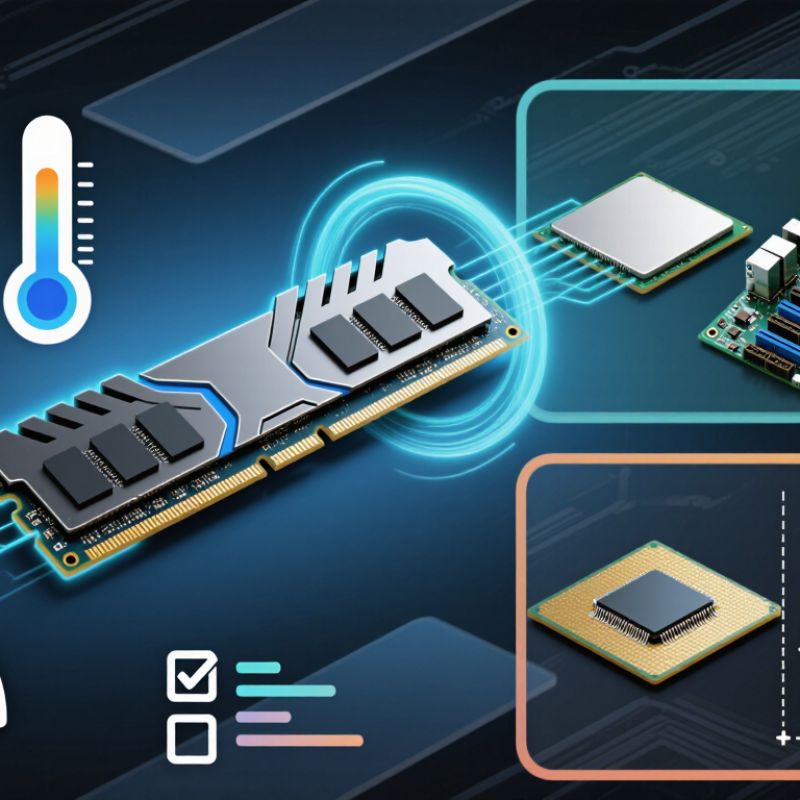
High-frequency DDR5 is memory rated for a high data-transfer rate, measured in megatransfers per second (MT/s). JEDEC’s standard DDR5 specifications extend up to 6,400 MT/s. That distinction matters. MT/s counts data transfers, not clock cycles; DDR memory transfers data twice per clock cycle. A 6,400 MT/s module therefore does not run at a 6,400 MHz clock.
The rating describes the module’s standard operating capability, not a guarantee that every computer will use it at that speed. The processor, motherboard, firmware, and memory configuration must all support the selected rate. Check their specifications before buying, especially when installing multiple modules. A lower supported setting may be used automatically. For everyday work, gaming, or content creation, higher transfer rates can improve memory bandwidth, but the difference depends on the task and system. It is tempting to chase the biggest number; that is not the whole story. Stable operation and suitable timings matter, too. After installation, check the reported data rate and run a memory stability test. Small details can be easy to overlook.
High-frequency DDR5 can deliver faster memory performance, but the advertised speed is not automatic. XMP and EXPO load preset memory settings that may exceed standard operating speeds. Before enabling either profile, check your CPU’s specifications for supported memory speeds and configurations. The memory controller is part of the CPU, so it affects what your system can run reliably.
Check the motherboard’s manual and memory support list for your exact memory kit, capacity, and number of modules. Support can vary with BIOS version, and four modules may run more slowly than two. Small details matter. A listed maximum speed is not a guarantee for every setup.
Tips: Update the BIOS only by following the motherboard maker’s instructions. Enable the profile, then test stability with a memory test and ordinary workloads. If the computer fails to start or shows errors, disable the profile or reduce the memory speed.
A successful boot does not prove the settings are stable. Watch for freezes, restarts, or application errors over several days. I’ve seen people focus on the kit’s speed label and overlook their CPU limit; it is an easy assumption to make. If stability is uncertain, choose a lower supported speed rather than chasing a number.
DDR5-6000 means 6,000 million transfers per second, not a 6,000 MHz clock. On a 64-bit interface, each transfer moves eight bytes, yielding 48 GB/s of theoretical peak bandwidth. That is the ceiling. JEDEC’s JESD79-5 DDR5 SDRAM standard provides the technical framework for this calculation: 6,000 MT/s multiplied by eight bytes equals 48,000 MB/s. A standard non-ECC DDR5 DIMM divides its data path into two 32-bit subchannels, which together provide the 64-bit width used here. Compared with DDR5-5600, DDR5-6000 adds 3.2 GB/s of theoretical bandwidth, an increase of about 7.1%.
Real workloads usually fall short. Refresh cycles, command overhead, memory-controller scheduling, and competing requests all consume time. JEDEC’s specification is a useful peak-rate reference, not a promise of application throughput. Large, sequential reads may come closer to the ceiling than scattered requests, much like filling a wide bucket steadily rather than pouring through a narrow spout. For a practical check, run a repeatable memory benchmark and keep processor limits and channel configuration constant. Even then, results vary between systems. Small detail, big difference.
| DDR5 Data Rate | Theoretical Bandwidth per 64-Bit Interface | Theoretical Bandwidth in Dual-Channel Mode* | Increase vs. DDR5-4800 |
|---|---|---|---|
| DDR5-4800 | 38.4 GB/s | 76.8 GB/s | Baseline |
| DDR5-5200 | 41.6 GB/s | 83.2 GB/s | 8.3% |
| DDR5-5600 | 44.8 GB/s | 89.6 GB/s | 16.7% |
| DDR5-6000 | 48.0 GB/s | 96.0 GB/s | 25.0% |
| DDR5-6400 | 51.2 GB/s | 102.4 GB/s | 33.3% |
| DDR5-7200 | 57.6 GB/s | 115.2 GB/s | 50.0% |
JEDEC DDR5 specifies a nominal VDD of 1.1 V. Treat that figure as a reference, not a promise that every kit runs at exactly that voltage in every condition. The memory controller, motherboard settings, and workload can affect stability. Check the platform’s reported voltage before changing anything.
For high-frequency memory, tune timings and voltage gradually. A tighter timing can reduce latency, but it may also cause errors or failed boots. Change one setting at a time, then test with a memory stress test and your usual applications. Keep notes. They make it easier to undo a change when a system becomes unstable. Small steps matter.
More voltage is not automatically better. Raise it only when a documented memory profile or careful testing supports the change, and stay within guidance for your processor and board. Watch temperatures and verify stability after the system has warmed up. A test that passes once is not enough. I have found that chasing a final fraction of a timing can consume an evening for little practical gain. That trade-off is easy to underestimate.
DDR5-6000 CL30 looks quick on paper: its CAS latency is 10 nanoseconds. The calculation is 30 cycles divided by a 3,000 MHz memory clock. JEDEC’s DDR5 SDRAM standard describes the double-data-rate transfer method behind this conversion. It is a useful comparison, not a measure of total system delay.
Real performance includes more than CAS timing. Other timings, memory-controller behavior, and workload can change measured latency. Stability matters too. A system may boot at its memory profile and still fail during long workloads. Test with repeated memory checks and demanding applications, then watch for errors, crashes, or unexpected restarts. Small timing gains are not worth unreliable work.
Tips: Enable the intended memory profile, then test before tightening timings. Keep the room and case airflow consistent during checks. Record settings and results; one missed error can waste an evening. If failures appear, lower the data rate or loosen timings, then retest.
It describes memory with a high data-transfer rate, measured in MT/s. Standard specifications extend up to 6,400 MT/s. The number is not a clock speed.
No. The processor, motherboard, firmware, and memory setup must support it. The system may select a lower speed automatically.
Check your processor specifications and motherboard manual. Confirm support for your exact kit, capacity, and number of modules. Small details matter.
The supported speed can depend on the memory controller and system configuration. Check the motherboard’s support information for your setup.
Run a memory test and use your usual applications. Watch for freezes, restarts, or errors over several days. A successful boot is not proof.
The standard reference is 1.1 V. Actual readings can vary with settings, hardware, and workload. Check reported voltage before making changes.
Not automatically. Change settings gradually and stay within guidance for your processor and motherboard. More voltage is not always better.
They can reduce latency, but may cause errors or failed starts. Test one change at a time and keep notes. The gains may be small.
High frequency DDR5 benefits come from increased data rates and memory bandwidth, which can improve performance in workloads that depend on fast access to system memory. JEDEC rates standard DDR5 modules up to 6,400 MT/s, while DDR5-6000 can deliver up to 48 GB/s of theoretical bandwidth over a 64-bit interface. Actual gains depend on the workload, processor, and overall system configuration, so a higher rated speed does not guarantee a noticeable improvement in every use.
Before enabling a memory performance profile, check that both the processor and motherboard support the selected speed and settings. For further tuning, adjust timings and voltage cautiously; standard JEDEC DDR5 uses a nominal VDD of 1.1 V, while faster settings may require different values. Test stability and latency after any change. For example, DDR5-6000 CL30 has a theoretical CAS latency of about 10 nanoseconds. Careful compatibility checks and testing help balance speed, responsiveness, and reliable operation.

Vorynex